Edit the mesh directly.
Move points on the canvas, enter exact positions, or adjust the shape with Bézier handles.
 Mesh Gradient Creator · macOS
Move the points, adjust the colors, add animation, and copy the result straight into a SwiftUI project.
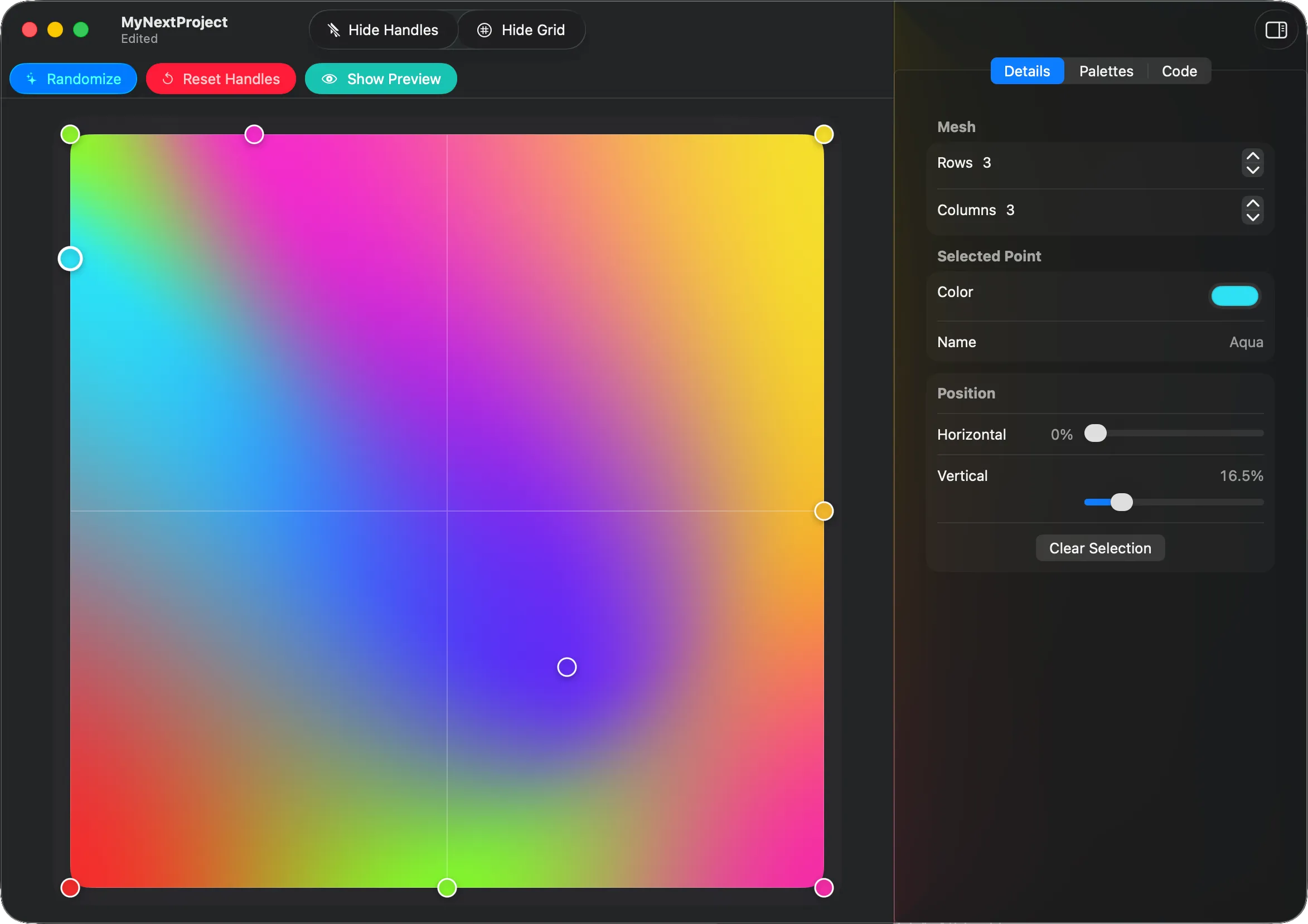
Move points on the canvas, enter exact positions, or adjust the shape with Bézier handles.
Add keyframes, reorder them, choose the timing, and watch the animation while you work.
Copy the points, colors, timing, and loop settings into your project as SwiftUI code.
There’s no account, analytics, advertising, or online service. Your documents stay on your Mac. When available, Apple’s on-device model suggests names for colors; otherwise the app uses a simple local fallback.
The app includes searchable help for editing a mesh, building an animation, using Live Preview, and exporting SwiftUI code.
.meshgradient
document before troubleshooting.
Tell me which app and macOS versions you’re using, what you did, what happened, and what you expected instead. You can attach a screenshot or sample document, but please check that it contains nothing private first.
Email support